How to Type the Degree Symbol (°) on Windows
Can’t find the degree symbol (°) on your computer or laptop? This tutorial shows you the fastest ways to type it on Windows, including options for keyboards without a numeric keypad.
⚡ Quick Answer
The most common ways to type the degree symbol (°) are:
- US International keyboard: Right Alt Gr + Shift + ;
- Keyboard with a numeric keypad: Left Alt + 0 1 7 6
- Windows 10 and Windows 11: Windows + .
- Other Windows versions: Start menu > Character Map
Continue below for detailed instructions for each method :
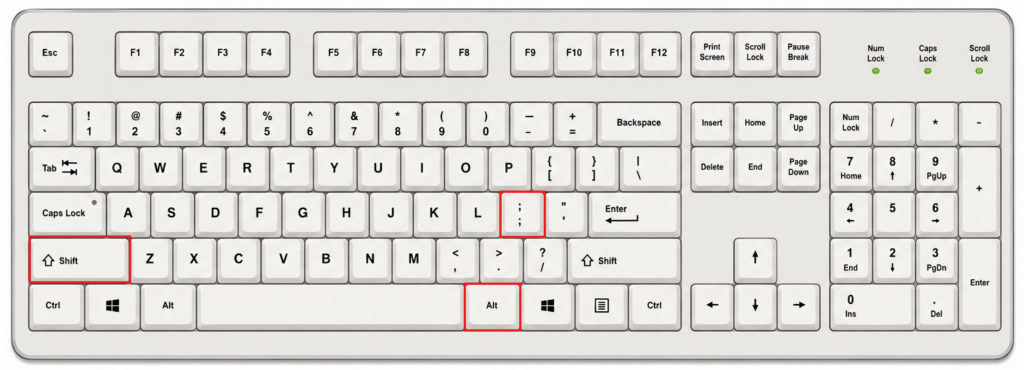
Method 1: US International Keyboard
If you use the US International keyboard layout, press these keys at the same time:
Right Alt Gr + Shift + ;
Method 2: Keyboards With a Numeric Keypad
If your keyboard has a dedicated numeric keypad, you can use:
Left Alt + 0 1 7 6
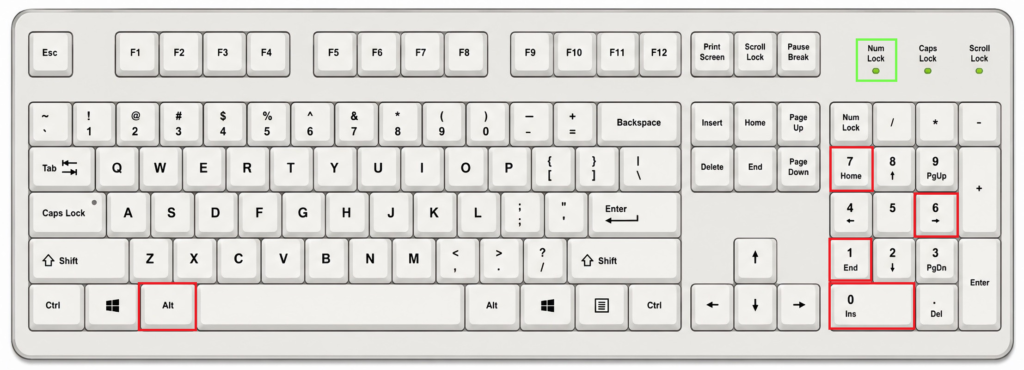
💡 Make sure Num Lock is enabled if your keyboard requires it.
💡 This method normally requires a dedicated numeric keypad. The number keys located above the letters on a standard keyboard do not work with traditional Alt codes. If your laptop does not have a numeric keypad, use one of the following methods instead.
Method 3: Universal Solutions
Here’s what surprises many people: a standard US keyboard does not have a simple shortcut for the degree symbol (°). Fortunately, Windows offers two universal methods that work with any keyboard:
Option 1: Use the Windows Symbols Panel (Windows 10 and Windows 11)
Press these keys at the same time: Windows + . or Windows + ;
The emoji and symbols panel will appear. Click the Symbols tab > General Punctuation > Find the degree symbol (°)
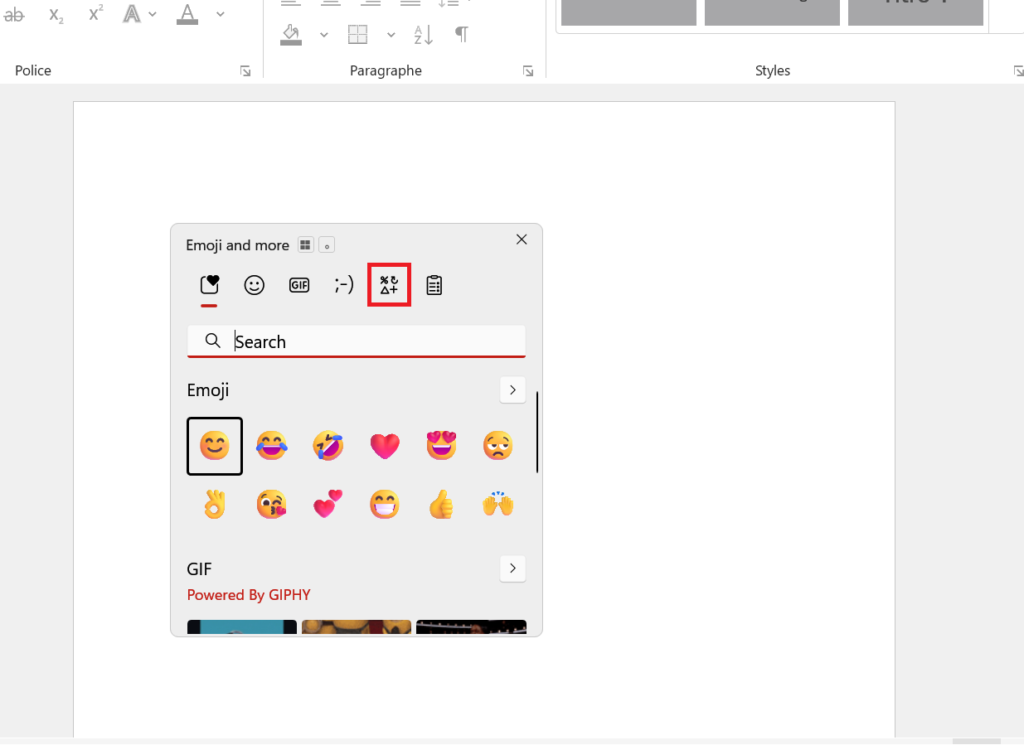
💡After you use the symbol for the first time, it will appear in the Recently used section, making it easier to access in the future.
Option 2: Use Character Map (All Windows Versions)
Open the Start menu and search for: Character Map
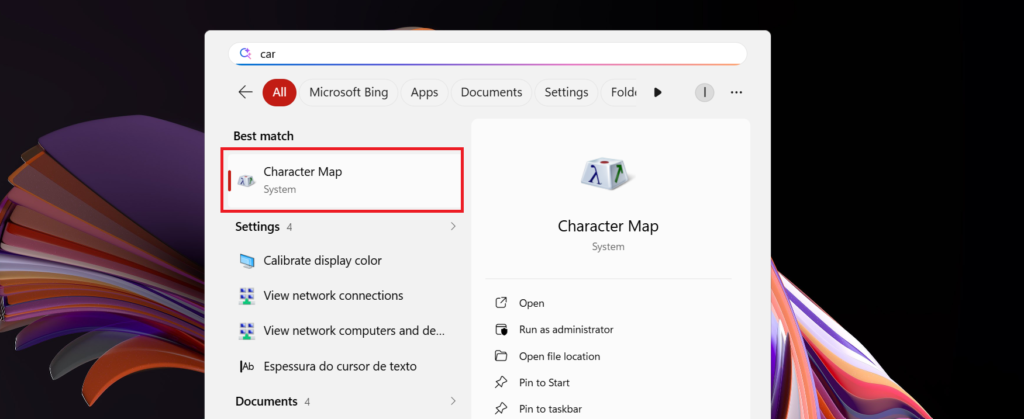
Find the degree symbol (°). Select it, click Copy, and paste it wherever you need it.
Degree Symbol Information
- Symbol: °
- Unicode: U+00B0
- Windows Alt code: Alt + 0176
Quick Summary
| Method | Shortcut or action |
|---|---|
| US International keyboard | Right Alt (AltGr) + Shift + ; |
| Numeric keypad | Alt + 0176 |
| Windows symbols panel | Windows + . |
| Character Map | Search for “Character Map” |
Frequently Asked Questions
How do I type the degree symbol on a laptop without a numeric keypad?
Press Windows + . to open the Windows emoji and symbols panel.
Why does Alt + 0176 not work?
- Traditional Windows Alt codes normally require a numeric keypad. If you type 0176 using the number keys above the letters, the symbol may not appear.
- Also make sure that Num Lock is enabled if your keyboard requires it.
What is the Unicode code for the degree symbol?
U+00B0
Does a standard US keyboard have a degree key?
No. The standard US keyboard layout does not have a dedicated key for the degree symbol.
How do I open the Windows emoji and symbols panel?
Press either of these shortcuts:
- Windows + .
The panel should open immediately.
How do I open Character Map in Windows?
Open the Start menu and search for: Character Map